
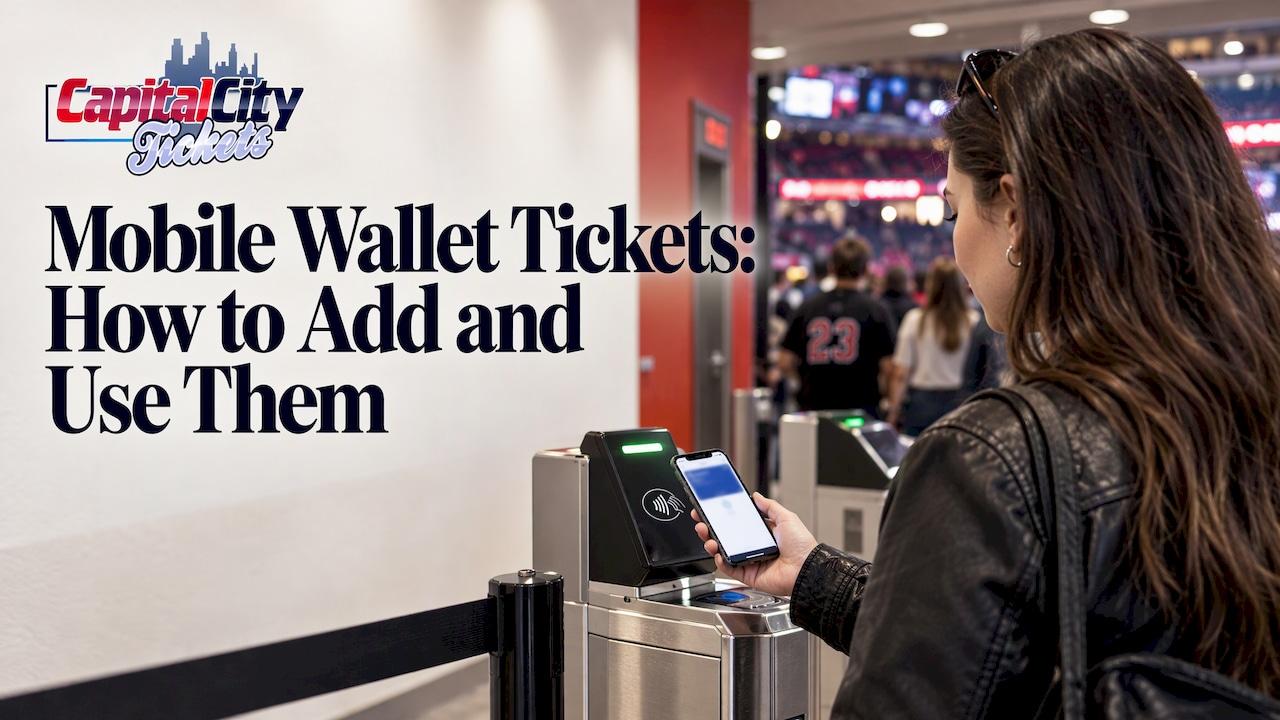
A mobile wallet ticket is an event ticket saved in Apple Wallet or Google Wallet, so you can open it from your phone and scan it at the gate without printing anything. To get one, tap "Add to Apple Wallet" or "Add to Google Wallet" on your confirmation email, order page or ticket app, then check the pass on your phone before event day. If you are buying tickets for a concert, game or show, we recommend buying from a seller that backs authenticity and delivery. Our concert tickets come with a 100% guarantee on both.
TL;DR
- Open your ticket email, app or order page and tap "Add to Apple Wallet" (iPhone) or "Add to Google Wallet" (Android). Then confirm the pass is in your Wallet.
- Not every ticket supports Wallet. If the button is missing, the ticket issuer has to confirm whether it offers Wallet passes.
- Save the ticket on Wi-Fi well before the event. Venues often have weak cell service when thousands of phones are in one place.
- Transfer a ticket through the ticket app's transfer function, not by sending a screenshot. Once the recipient accepts, the original is no longer valid.
- If a ticket won't scan, raise screen brightness first, then go to the box office or ticketing staff.
Table of Contents
- What a mobile wallet ticket is
- How to add tickets to Apple Wallet on an iPhone
- How to add Google Wallet event tickets on Android
- What to do before you leave home
- Why won't my ticket add to Wallet?
- How to transfer a Wallet ticket to a friend or family member
- What to do if your ticket won't scan at the gate
- Buying tickets you plan to keep in your phone
- Perspective
- Find your next event
- FAQ
- Sources
What a mobile wallet ticket is
A wallet ticket is a digital pass. Your phone stores it next to your cards and boarding passes. At the gate you either hold the phone near a contactless reader or show a barcode or QR code to an attendant.
Apple says you can add eligible tickets and passes to Wallet and present them at a contactless reader or to an attendant. On Google's side, you unlock the phone and hold its back near the reader until a blue check mark appears. The word "eligible" matters. Wallet only works with tickets whose issuer has built a Wallet pass, and that varies by event and by ticketing system.
The benefits are practical:
- Nothing to print or lose in a coat pocket.
- The ticket is on the same device you already carry.
- Eligible passes can appear on your Lock Screen near the event time. Apple says eligible passes may surface automatically when the event approaches.
How to add tickets to Apple Wallet on an iPhone
This is the route most people search for, and it takes under a minute.
- Open the ticket. Find it in your confirmation email, the ticket app, a text message or the order page on the seller's site.
- Tap "Add to Apple Wallet." Follow the on-screen instructions and tap "Add" if prompted. Apple's support page describes this exact sequence.
- Open Wallet and look for the pass. Do not assume it worked. Confirm the event name, date and seat details appear.
- Repeat for every ticket in the order. If you bought four seats, check that you can see four passes or that the pass shows all of them.
Where it goes wrong: the button simply isn't there. Apple's guidance is that not every ticket supports Wallet, and in that case you contact the company that issued the ticket to ask whether it supports Wallet passes. Apple also notes that tickets for movies, concerts and events can be added from confirmation emails or supported apps, so check the email as well as the app.
Using the ticket at the gate on iPhone
Open the pass from the Wallet notification, or double-click the side or Home button. Hold the phone near the reader or show it to the attendant. Apple says Face ID, Touch ID or a passcode may be required, so have your phone unlocked before you reach the front of the line.
How to add Google Wallet event tickets on Android
Google's process mirrors Apple's. Buy through a participating airline, venue or ticket-broker app or website, then tap "Add to Google Wallet" and follow the prompts. If Google Wallet isn't installed, the prompt takes you to download it.
Venue guides spell out the same steps in more detail. The University of Michigan's athletics department tells Android users to sign in to the athletics app with the purchasing account, open the event, tap "Add to Google Wallet" for each ticket, tap "Add", then open the phone's Wallet app to confirm the tickets arrived. That last check is the step people skip.

Where is Wallet on an Android phone?
Look for the Google Wallet app in your app drawer. Upcoming event passes can appear on the Wallet home screen, and Google's help page notes the search bar and pass sorting make it easy to locate a specific ticket. If you can't find the app, the Add to Google Wallet prompt will offer to download it.
Showing the ticket when tap-to-scan isn't available
Not every gate has a contactless reader. In that case open Google Wallet, choose "View more passes," select the ticket and show its barcode or QR code to the attendant. Google's help page adds that multiple tickets must be shown separately, so a group arriving together should expect to hand over the phone more than once, or have each person add their own ticket.

What to do before you leave home
The tickets are only as reliable as your preparation. A short routine covers most failures.
- Add the tickets at least a day ahead. The Washington Mystics recommend accessing tickets at least 24 hours before the event, adding each to Apple Wallet or Google Pay, and fully charging your phone.
- Use Wi-Fi to save them. Michigan Athletics says tickets saved to Google Wallet can be scanned without cellular service, but recommends downloading them over Wi-Fi before arriving because coverage near events can be limited.
- Don't rely on a screenshot. Venues that use rotating or secured codes may not accept a static image. The Houston Rockets tell fans to open the team app and use Tickets and View Tickets to find the QR code rather than use a screenshot or email.
- Know the venue's rule. United Center says saved tickets in Apple Wallet or Google Play can be accessed without an internet connection, and that its digital-wallet tickets use a contactless scan rather than a visible barcode. Different venues work differently, so read the arena or stadium's mobile entry page.
- Check your phone's software. Phone and OS requirements are real. The USTA's 2026 U.S. Open guide lists iPhone 6s or newer with iOS 17.0 or later, and Android OS 9 through 16 for its app. Your venue will publish its own list.
Trim the cost before you buy
Wallet only helps once you have a ticket. If you are still shopping, a few minutes spent on cashback on ticket purchases can take a little off the total for a concert, tour or show.
Why won't my ticket add to Wallet?
There are a few common causes, and each has a fix.
| Problem | Likely cause | What to do |
|---|---|---|
| No "Add to Apple Wallet" or "Add to Google Wallet" button | The issuer doesn't offer a Wallet pass for that event | Ask the issuer whether the ticket supports Wallet passes, and use the ticket app in the meantime |
| Add fails with an error | Outdated iOS or Android, or an unsupported phone | Update the operating system and try again |
| Add fails, ticket seems to belong to someone else | Ticket already linked to another Apple ID or Google account | Sign in with the account that bought or accepted the tickets |
| Pass is there but not on the Lock Screen | Eligible passes show near the event time | Open Wallet manually and find the pass |
The U.S. Open guide says a wallet-add failure may come from outdated iOS, an unsupported iPhone, or a ticket already linked to another Apple ID or Google account, and that the app is the fallback. That pattern holds well beyond tennis: if Wallet fails, the official ticket app almost always still shows a valid code.
How to transfer a Wallet ticket to a friend or family member
People often ask whether they can send a ticket straight from Apple Wallet or Google Wallet. In practice the transfer happens in the ticketing app or account, and the recipient then adds the ticket to their own Wallet.
The steps are similar everywhere:
- Open the ticket app or your account's event list.
- Choose Transfer, then select the tickets or seats.
- Enter the recipient's phone number or email.
- Review and confirm.
This is how United Center describes it: select the seats, enter the recipient's contact details and confirm. The University of Pittsburgh's guide says a Ticketmaster transfer starts from My Events and that, once accepted, the original ticket is no longer valid for entry. Until the recipient accepts, the transfer can generally be canceled. After that, you can't manage the ticket.
One trap: don't transfer tickets to yourself when you only want them in Wallet. Michigan Athletics specifically cautions against that. Use the Add to Wallet button instead.
For more on how transfers work when you buy from a reseller, see our guide to finding transferable tickets backed by seller guarantees.
What to do if your ticket won't scan at the gate
Stay calm. Most scan problems are small.
- Turn screen brightness all the way up. DPAC's venue guide says a ticket that doesn't scan can often be fixed by raising screen brightness to its highest setting.
- Open the ticket app instead of Wallet. Sign in with the email used to purchase or accept the tickets, as the Rockets' guide describes.
- Ask staff. If brightness doesn't work, ticketing staff can help, and the Mystics direct fans with entry problems to the main box office.
- No smartphone? The Rockets say fans without one should bring photo ID and the purchase card to the box office.
If you bought from a reseller and the ticket never arrives, that is a delivery problem, not a Wallet problem. Our 100% guarantee on ticket authenticity and delivery exists for that situation, and our guide to instant download tickets explains how it applies.
Buying tickets you plan to keep in your phone
A few habits protect you before the ticket ever reaches Wallet.
- Buy from a seller that guarantees delivery. A Wallet pass only exists if the ticket is real. Our ticket scams checklist walks through what to look for.
- Check the delivery method. Some tickets are mobile, some are instant download and some are print-at-home. If you aren't sure which one you'll get, our page on print at home tickets shows how each type behaves.
- Buy early for the best seats and last minute for flexibility. Instant-download and mobile delivery make last-minute purchases workable, since there is nothing to ship.
- Look at the event page for the delivery details. Each listing states how tickets arrive.
Perspective
Mobile tickets have made going to a game, show or concert easier, but they also moved the weak point. It used to be the mailbox. Now it is the minutes between buying a ticket and walking through the gate.
Our view is that fans on a budget should get the whole path right: a fair price, a real ticket, and a delivery they can rely on. That is why we stand behind every purchase with a 100% guarantee on ticket authenticity and delivery, and why we offer concerts, sports and theater in one place, filtered by city, venue, date and category.
Use the promo codes we publish on event pages, add your tickets to your phone early, and keep the confirmation email until the night is over.
Capital City Tickets
Find your next event
Whether you want a baseball night, a hockey game or a Broadway show, you can browse by city, venue, date and category and apply a promo code at checkout. Our listings cover concert tickets, sports tickets and theatre tickets nationwide, and last-minute and instant-download purchases are supported.
Every purchase is covered by our 100% guarantee on authenticity and delivery, so you can plan your night with one less thing to worry about.
FAQ
How do I add tickets to Apple Wallet?
Open the ticket in the app, email, notification or order page and tap "Add to Apple Wallet." Follow the instructions and tap "Add" if prompted. Then open Wallet to confirm the pass is there.
Why is there no Add to Apple Wallet button on my ticket?
Not all tickets support Wallet passes. Apple's advice is to contact the merchant or company that issued the ticket and ask whether it offers one. Meanwhile, the ticket app or email will still hold your valid entry code.
Do Google Wallet event tickets work without internet?
Often yes, if the ticket was saved to Wallet ahead of time. Venues still recommend downloading over Wi-Fi before you arrive, since cell service near big events can be limited.
Can I send a ticket from my wallet to someone else?
You generally send it through the ticket app's Transfer function using the recipient's phone number or email. After they accept, the original is no longer valid for entry. They then add their copy to their own Wallet.
What if my phone dies before the event?
Charge it fully before leaving, as the Mystics advise. If it dies anyway, go to the box office with photo ID and the card used for purchase, which is the route the Rockets describe for entry problems.
Sources
- Add, use, and share tickets and passes in Apple Wallet
- Set up cards and passes in Wallet on iPhone
- Save & use flight or event tickets, Google Wallet Help
- Android Mobile Ticketing How To and FAQs, University of Michigan Athletics
- US Open Mobile Tickets
- Mobile Ticketing Guide, United Center
- Ticket Transfer, Accept and Digital Wallet Help, University of Pittsburgh
- Mobile Ticketing Guide, Houston Rockets
- Purchased on Ticketmaster, DPAC
- Mystics Digital Ticketing
- Cashback on tickets